Your show's own
intercom server.
Professional party-line intercom and IFB for live production, without the beltpacks. Each show gets its own private server: crew talk from the phones, tablets and computers they already carry.
On air in three steps
No hardware to ship, rack or wire. The server is built the moment payment clears.
Pick a plan
Choose the crew size and a week, a quarter or a year. Pay by card through Stripe.
Get the server
A private server comes up at its own secure web address in about 10 minutes. Login details arrive by email.
Add the crew
Create a login and a key panel for each person. The crew open the app or a browser, sign in and talk.
Built like a hardware panel
Big, colour-coded keys that work under pressure. Each person sees only the channels on their panel.
Grid view
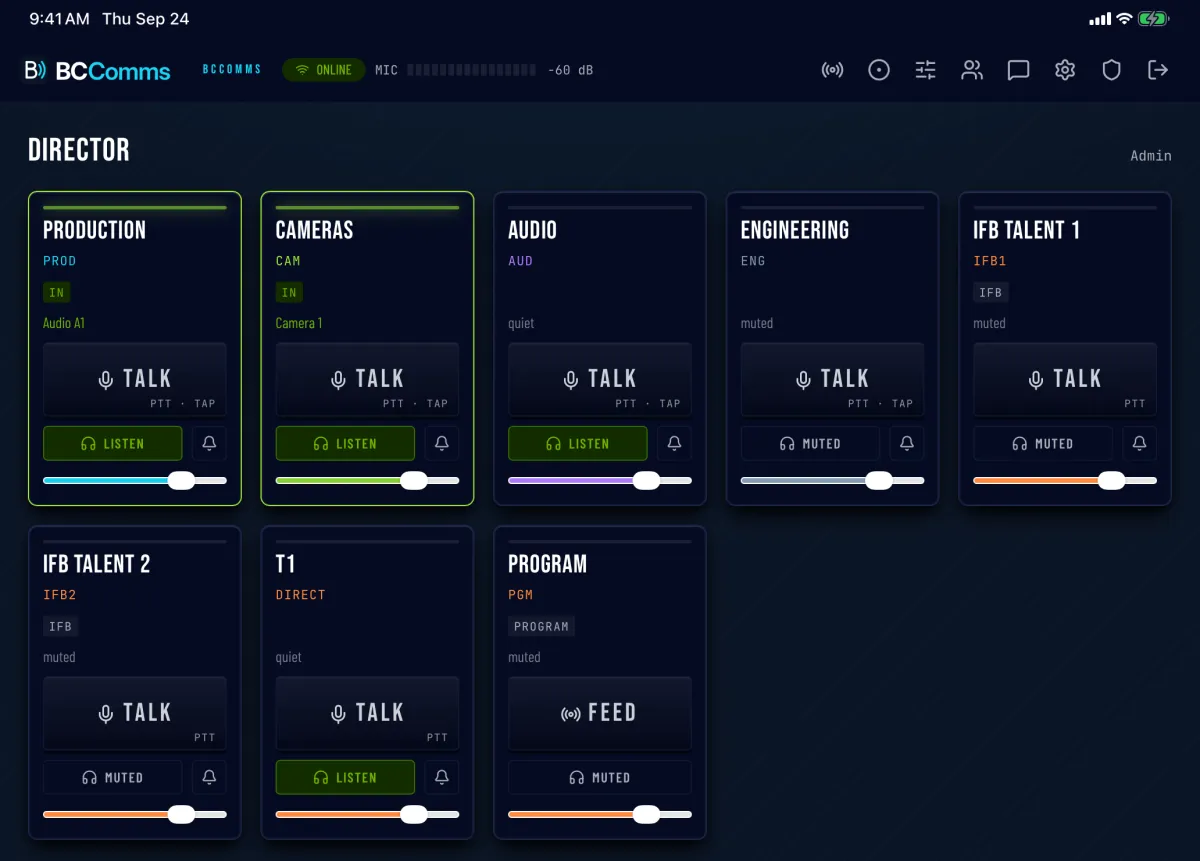
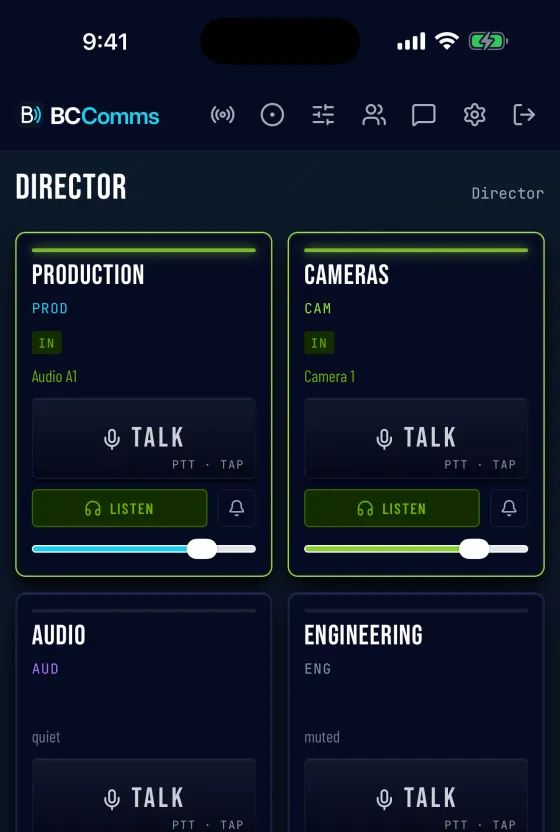
A key per channel with talk, listen, call and a volume fader. Latch several, or hold several with two fingers.
Dial view
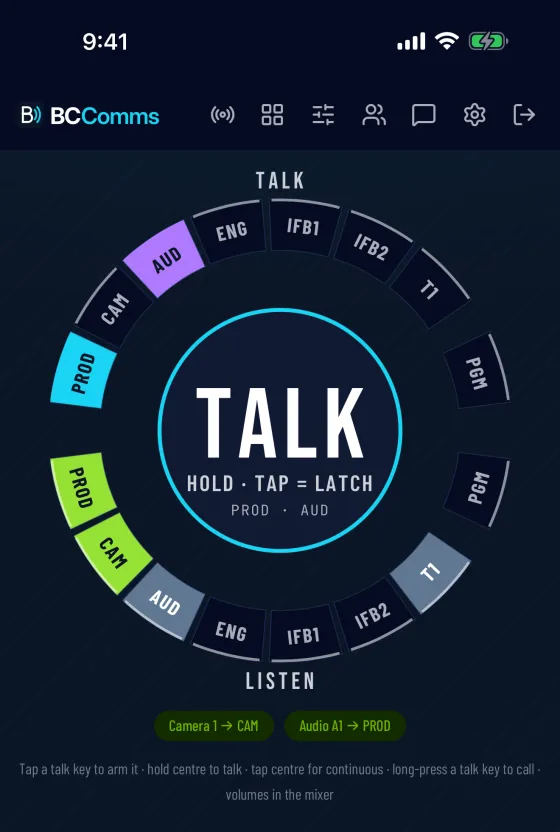
A one-hand wheel: talk keys on top, listen keys below. Arm channels, then hold the centre to talk.
Everything a comms desk does
The full broadcast intercom toolset, on every server and every plan.
The devices the crew already carry
Any headset works, including Bluetooth. In the iPhone app, audio keeps running with the screen locked.
Get the iPhone appBC Comms on the App Store · Android app coming soon
Broadcast-grade audio
Cloud or local
Same intercom, same apps, same features. Choose where the server runs.
| Compare | Cloud | Local |
|---|---|---|
| Setup | Automatic — about 10 minutes after payment | Install the Server app; licence issued by the SpeedTools team |
| Hardware | None | A Mac or Windows PC on site (a Mac mini is ideal) |
| Internet | Required for every device | Not required on the venue network |
| Remote crew | Connect from anywhere | Needs port forwarding or a VPN |
| Updates + uptime | Managed by SpeedTools | Managed on site |
| Billing | Per week, quarter or year — pay online | Licence by crew size — quoted on request |
| Best for | Remote and hybrid productions, touring, fast turnarounds | Fixed venues, trucks and studios, air-gapped networks |
Cloud plans by the week, quarter or year
Plans, crew sizes and checkout are in the SpeedProd store, alongside cloud production servers and Live Pro. Local licences are requested there too.
See plans and orderQuestions
What does the crew need?
A phone, tablet or computer, a headset and an internet connection. Any modern browser works with nothing to install; apps for iPhone (App Store), Mac and Windows add Bluetooth headset and loudspeaker controls. The Android app is coming soon; until then, Android phones join through the browser.
How fast is the server ready?
About 10 minutes after payment. The login details and the server address are emailed as soon as it answers securely. Weekly plans with a start date come up the day before the show.
Is the server shared with anyone?
No. Every plan is a dedicated server with its own address. Users, channels and recordings belong to that show only.
What happens when a weekly plan ends?
The server shuts down after 8 days — the show week plus a setup day. It is removed, with its data, two weeks later. Another week can be booked at any time.
Can a subscription be cancelled?
Yes. Quarterly and annual plans are managed from the billing page linked in the welcome email: update the card, see invoices or cancel.
Can the plan grow with the show?
Yes. For more crew or a bigger server, email hello@speedtools.app and the server is moved to the larger size.
Can the program feed come from a mixer?
Yes. Anyone with feed rights can send a line input — the mixer's program output — into a program channel. Talent on IFB hear it, dimmed automatically whenever a producer talks.
Can the server run at the venue instead?
Yes — choose Local. The BCComms Server app runs on a Mac or Windows PC on site, and crew connect over the venue network with no internet needed. Local licences are issued on request.
Are conversations recorded?
Only when an admin starts a recording on a channel. Each talker is saved to a separate track, ready to download.
Ready for the next show?
Pick a crew size and have a private intercom server running in about 10 minutes.
See plansRunning the production too? Order a SpeedProd cloud server →